Image ToolBox AI Photo Editor: Mobile AI tools for fast image fixes
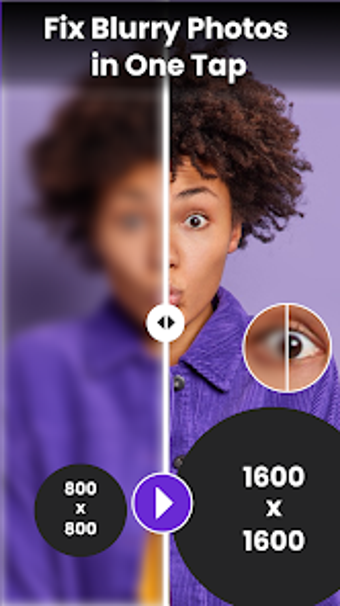
Try Image ToolBox AI Photo Editor by Sigma Smart Technologies for quick mobile image fixes, focused on correcting common photo problems. The app applies AI enhancement, object and background handling, and image conversion to simplify editing steps. It groups sharpening, removal, resizing, and format conversion into a single toolkit for Android users. The target audience includes content creators, social media users, students, and small business owners who need faster photo preparation.
What the app actually does on-device and in workflow
Image ToolBox combines several editing and utility functions into a single Android program. Practical components include an AI Photo Enhancer for sharpening and color restoration, an AI Object Remover and Background Remover for isolating subjects, a Multi-format Image Converter that supports JPG, PNG and WEBP, an Image Resizer tuned for social platforms, a Split Image tool for dividing pictures, and AI-driven color and detail restoration.
How it manages speed and mobile responsiveness during edits
The app focuses on fast, one-tap solutions to reduce editing time on phones, which suits quick workflows and social posting. In addition, the design targets mobile sessions rather than long desktop edits, so tasks like background cleanup and sharpening are packaged as single actions. User reception highlights quick background removal and sharpening effectiveness, which supports the app's emphasis on rapid results for routine tasks.
Who benefits from its simplicity and what trade-offs to expect
Image ToolBox aims at users with minimal editing experience, offering straightforward controls for product photos and profiles. The Background Remover can produce transparent images for listings, while the Object Remover preserves surrounding pixels when erasing distractions. Nevertheless, that focus on accessibility implies fewer advanced manual controls compared with full desktop editors, which is a deliberate trade-off for speed and ease of use.
A practical mobile choice for quick photo preparation with limited advanced controls
Image ToolBox is a practical option for creators and small businesses who need rapid mobile photo preparation rather than deep manual editing. The app delivers reliable, repeatable results for routine tasks on Android, though it trades advanced, fine-grained controls for simplified, faster workflows. For best results, use the background and enhancer tools for single-purpose edits and reserve complex composites for desktop software.